

UX Case Study:

ADP Design System

Defining Responsive Layout, Spacing, and Density Rules at Enterprise Scale

My Role

Senior UX Designer, Design Systems

Organization

ADP

Scope

Foundations used across multiple enterprise products

Focus

Breakpoints, spacing, layout behavior, and system clarity

TL;DR

I unified three conflicting breakpoint models into a single system of numeric rules for responsiveness and spacing, reducing ambiguity across design and engineering for ADP’s enterprise platform.

Project Overview

As Waypoint matured and adoption increased across ADP products, the most persistent issues were no longer visual inconsistencies at the component level, but structural ambiguity at the layout and responsiveness layer.

Breakpoints, spacing, max-width behavior, and density rules existed across multiple surfaces—Figma design files, Canvas layout documentation, and utility-class implementation—but they did not form a single, shared system. Designers and engineers frequently worked from different mental models, which resulted in inconsistent behavior at intermediate screen sizes, repeated clarification during handoff, and teams inventing their own layout rules.

This project focused on defining explicit, numeric, system-level rules for how layout scales across screen sizes, while remaining backwards-compatible with existing products and flexible enough to support varied use cases.

My Role

  • Identified cross-system breakpoint misalignment
  • Defined explicit numeric spacing rules across breakpoints
  • Documented rule precedence between design, docs, and utility styles
  • Worked with engineers to validate implementation feasibility
  • 1. Breakpoints were conceptually fragmented

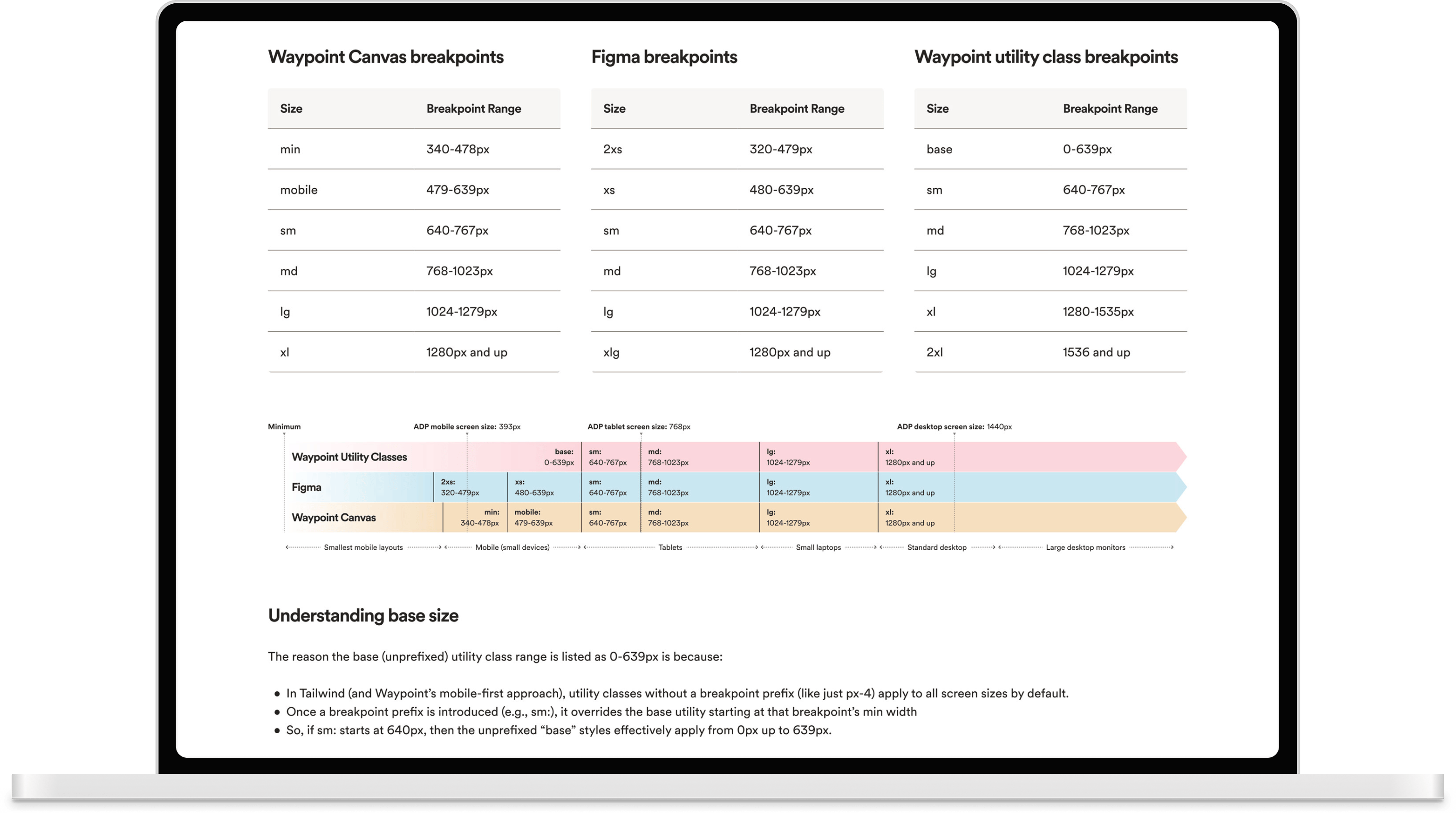
    Three separate breakpoint representations existed:

    Waypoint Utility Classes

    Followed a mobile-first breakpoint model

    Figma

    Used fixed reference widths (e.g. 375px, 1440px) for layout consistency

    Canvas

    Defined responsive breakpoint ranges

    Designers frequently assumed Figma reference sizes were equivalent to responsive breakpoints. Engineers understood breakpoints as range-based and mobile-first, but there was no shared documentation explaining how these concepts related to each other.

    This mismatch surfaced repeatedly during reviews and implementation—especially at intermediate widths (640–1023px), where expected behavior was unclear.

    2. Spacing guidance lacked numeric rules

    Existing guidance referenced high-level principles (e.g. 8pt grid) but did not define:

  • page margins by breakpoint
  • when margins should scale vs remain fixed
  • how gutters should behave as layouts widen
  • vertical spacing between major layout regions
  • when content should stop scaling and become centered
  • Teams inferred rules independently, leading to divergence across products.

    3. Layout decisions were solved at the wrong layer

    Without layout-level rules:

  • spacing adjustments were made by modifying component padding
  • form spacing varied significantly across implementations
  • parent vs child spacing responsibilities were unclear
  • This reduced component reusability and increased design debt.

    The goal was not visual uniformity, but to establish a shared, explicit system model that:

    1. Clearly distinguishes design reference sizes from responsive breakpoints

    2. Defines numeric spacing and density behavior across breakpoint ranges

    3. Reduces implementation guesswork without enforcing rigid rules

    4. Supports existing products without introducing breaking changes

    1. Separating breakpoint concepts

    The first step was clarifying concepts that had been conflated.

    Waypoint Utility Class Breakpoints (mobile-first)

    Unprefixed utility classes apply from 0–639px. Prefixed utilities override upward from their minimum breakpoint. This single explanation resolved a major source of recurring confusion between design and engineering.

    Token Breakpoint Range Notes
    base 0–639px Default (no prefix)
    sm 640–767px Small screens
    md 768–1023px Tablet range
    lg 1024–1279px Small laptops
    xl 1280–1535px Standard desktop
    2xl 1536px and up Large desktop / data-heavy layouts

    Design reference ranges (Figma)

    Design reference widths (Figma) are anchors used for visual layouts, not responsive breakpoints that drive reflow logic.

    Size Breakpoint Range Usage
    2xs 320–375px Smallest supported mobile layouts
    xs 376–671px Mobile devices
    sm 672–1023px Tablets
    md 1024–1279px Small laptops
    lg 1280–1583px Standard desktop
    xlg 1584–1919px Large desktop monitors
    2xl 1920px and up Data-heavy / wide layouts

    Waypoint Canvas Breakpoints (Responsive Layout Behavior)

    These responsive breakpoint ranges determine layout behavior changes (reflow thresholds) in production.

    Size Breakpoint Range Primary Use Case
    min 340–478px Smallest mobile layouts
    mobile 479–639px Mobile (small devices)
    sm 640–767px Tablets (small)
    md 768–1023px Tablets
    lg 1024–1279px Small laptops
    xl 1280px and up Standard desktop and larger

    2. Aligning systems without forcing parity

    Rather than attempting to make Figma, Canvas, and utility classes identical, I:

  • aligned breakpoint ranges where feasible
  • documented intentional differences
  • clarified precedence between design intent and implementation behavior
  • This eliminated incorrect assumptions while preserving flexibility.
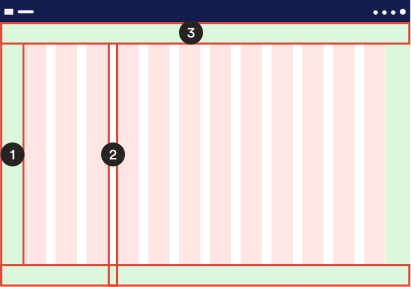
    3. Defining spacing between content and page edge

    Explicit margin and gutter rules replaced implicit assumptions.

    1. Page margins (content → viewport)

    Margins scale intentionally instead of remaining static across all sizes.

    Breakpoint range Margin
    0–767px 16px
    768–1023px 24px
    1024px+ 32px

    2. Gutters

    Gutters expand only when column counts increase, preventing unnecessary density loss at smaller widths.

    Breakpoint Gutter
    ≤1023px 16px
    ≥1024px 24px

    3. Vertical spacing between page level components

    Vertical spacing between major layout regions was standardized. This replaced ad-hoc spacing decisions with predictable rules.

    Relationship ≤767px 768–1023px ≥1024px
    Header → content 24px 32px 64px
    Content → footer 24px 32px 64px

    4. Establishing letterbox vs fluid layout rules

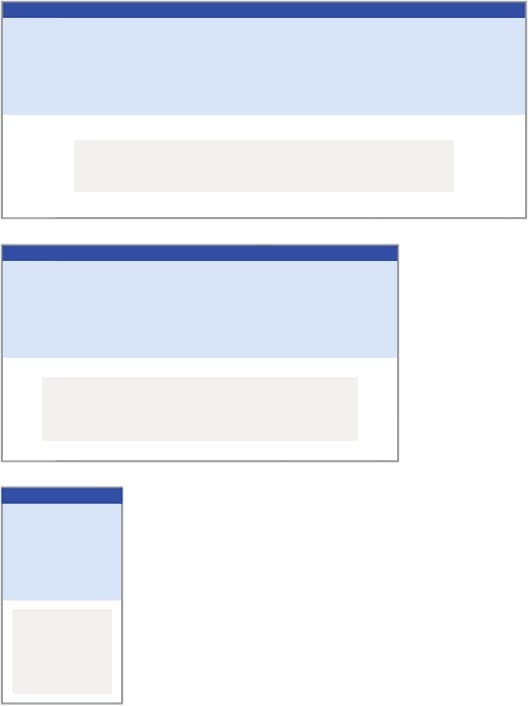
    To resolve ambiguity around content width, explicit thresholds were defined. This gave teams a shared answer to “how wide should this be?” without blocking valid exceptions.
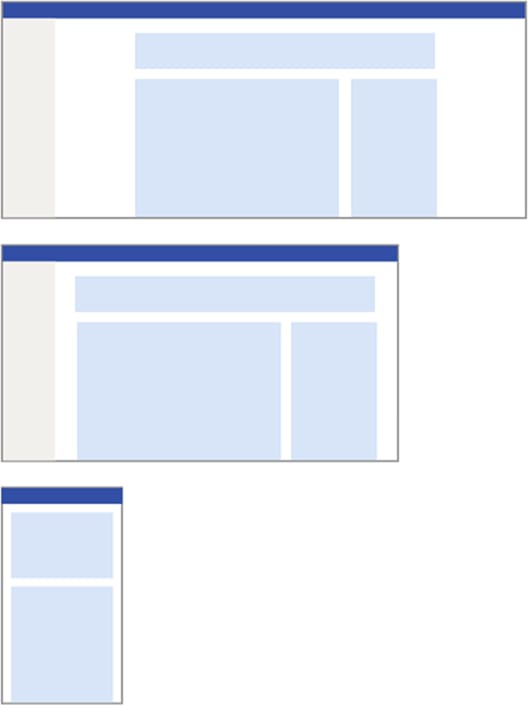
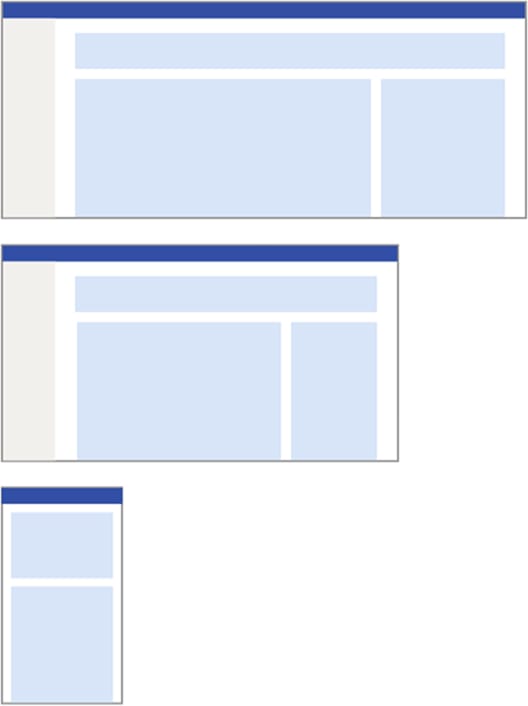
    Standard fixed/centered (aka "letterbox")

  • Fluid scaling below 1280px
  • Fixed, centered content width of 1200px once viewport ≥ 1280px
  • Data-heavy layouts (tables, dashboards)

  • Allowed to expand fluidly up to 1920px
  • No forced centering
  • Bleed content

  • Only allow edge-to-edge content (“bleed”) for full-width media sections, hero banners, or immersive layouts.
  • Not default page behavior
  • 5. Clarifying layout responsibility boundaries

    To reduce misuse of components for layout control, improve consistency and component reuse, guidance clarified that:

  • component padding is internal and non-configurable
  • layout spacing belongs to parent containers (grid, flex, gap)
  • form spacing follows defined vertical rhythms
  • horizontal form spacing should be handled via layout utilities
  • Form spacing guidance example

    Element Relationship Recommended Spacing
    Input <-> Input 16px
    Input <-> Button 24px
    Form Section <-> Form Section 32px+

    Tradeoffs & Constraints

  • Existing products already diverged in spacing behavior
  • Canvas behavior did not always reflect responsive intent
  • Guidance needed to be non-blocking and backwards-compatible
  • Rather than enforcing strict compliance, recommendations were framed as adoptable defaults that teams could implement incrementally.

    Outcomes

  • Designers stopped treating Figma reference sizes as breakpoints
  • Engineers gained numeric guidance instead of relying on assumptions
  • Layout decisions became repeatable across teams
  • Spacing-related handoff questions decreased
  • Documentation reflected real implementation behavior
  • Most importantly, layout density became a system-level concern rather than a product-by-product decision.

    Why This Work Matters

    At enterprise scale, layout decisions compound over time. This work reduced long-term design debt by replacing implicit assumptions with explicit, numeric rules for how size and density behave across screen widths—while preserving flexibility and respecting existing products.

    This project was not about visual polish. It was about removing ambiguity at the foundation layer so teams could move faster with fewer layout regressions over time. This case study reflects the kind of systems work that is often invisible when done well, but critical to sustaining consistency, accessibility, and velocity across large organizations.